
Go to https://apps.docusign.com/ login
Click on "Manage" tab on the top
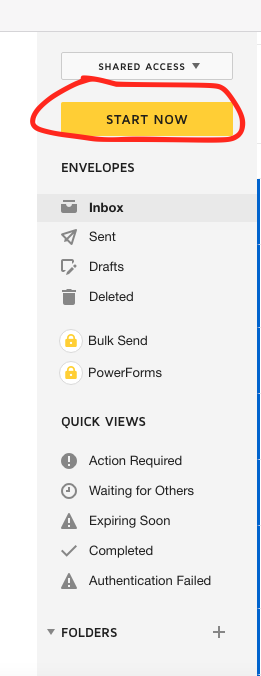
click on "START NOW" on the left
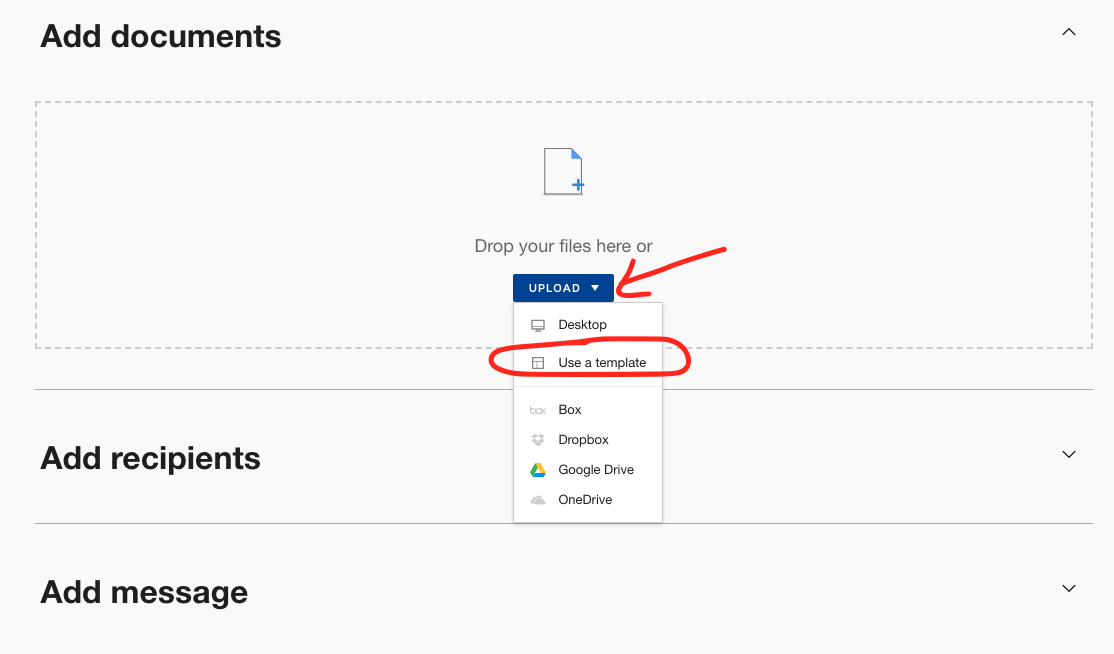
click on the "UPLOAD" button and choose "Use a template"
Depending on what contract you are trying to write, choose the template: Lease extension
Once documents are selected, click on the "ADD SELECTED" button
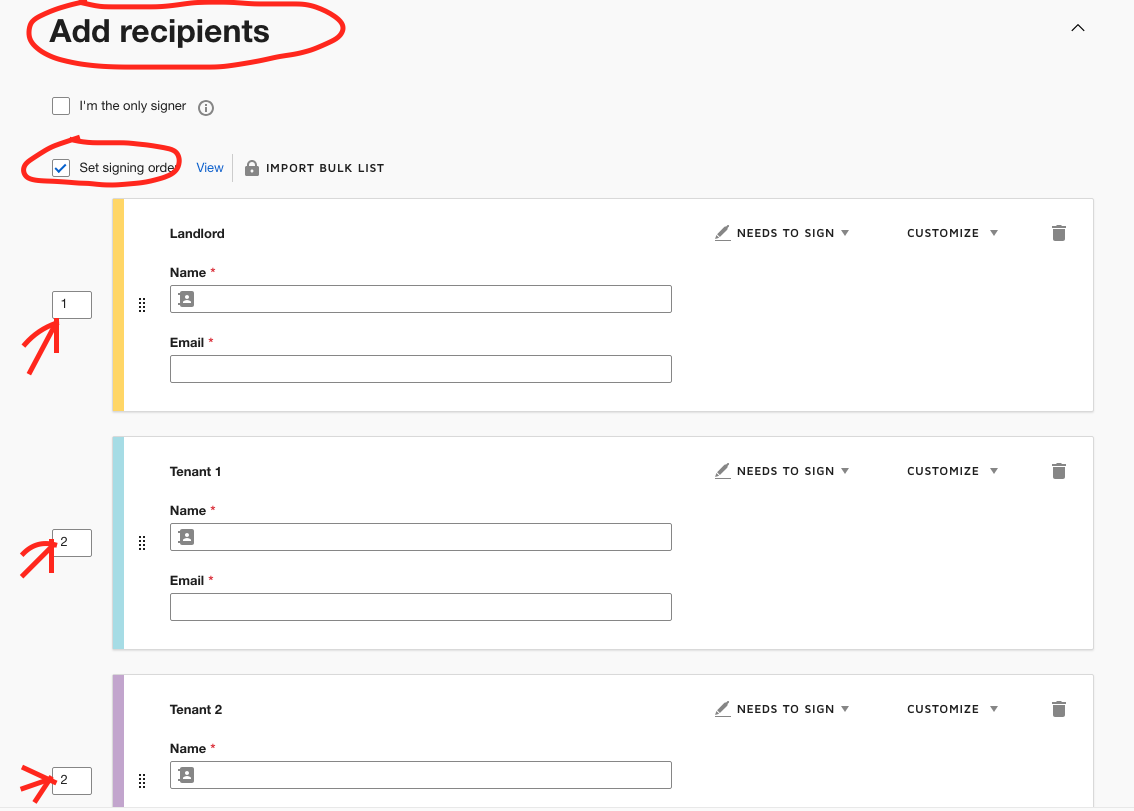
On the same page, click on the "Add recipients". It will expand the form. Fill in the people information.
Make sure the "Set signing order" is checked. Landlord is set as 1 and tenants are set as 2.
You can also delete the extra tenant by clicking on the trash can button on the right.
Fill in the documents.
For lease extension form,
The first date you need to fill in is the today's date
The second date you need to fill in (in the RECITALS section) is date for when the original lease was created. We will talk about it below
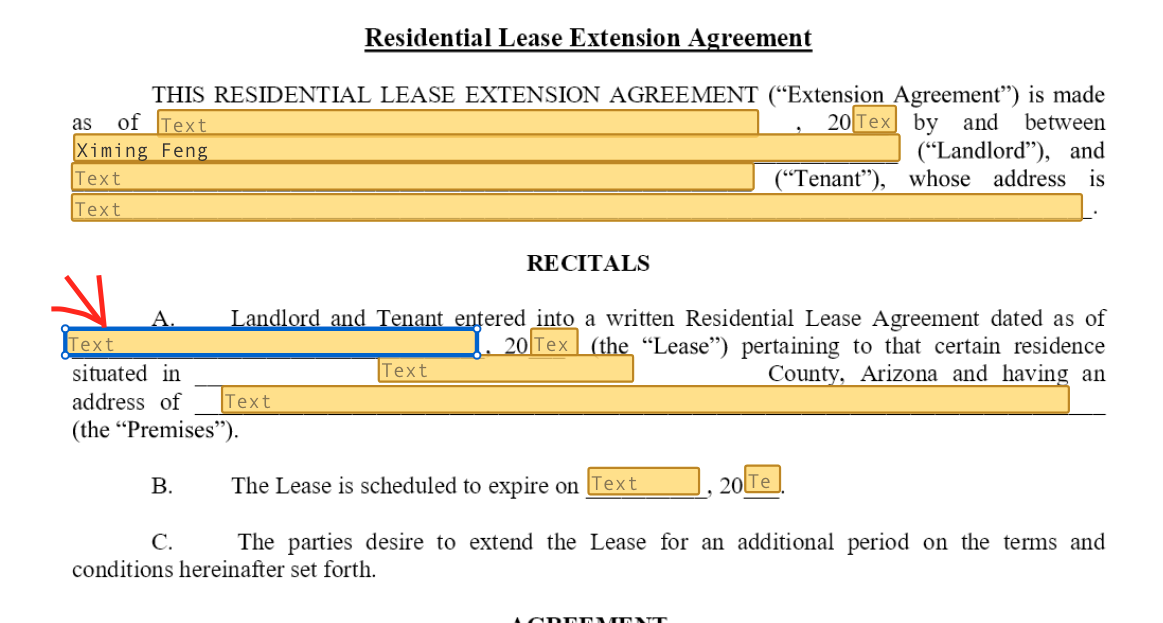
how to find the when lease was originally created?
Go to the rental folder ➝ (Property Address) ➝ Applications ➝ (Tenant Name) ➝ (Lease Document)