Prescreening
Communicate with the applicant coming from different leads. Reiterate the property info and our requirement. Understand their situation. Schedule a showing if fit.
- Once lead arrives, ask for phone number and email address
- Update the add records to rental applicant table in Airtable in the "Unscreened Tenant" view
- Click on "+ Add new record"
- Put in the name, email, and phone number.
- Make sure the phone number is in the Cell Phone # not in Work Phone #
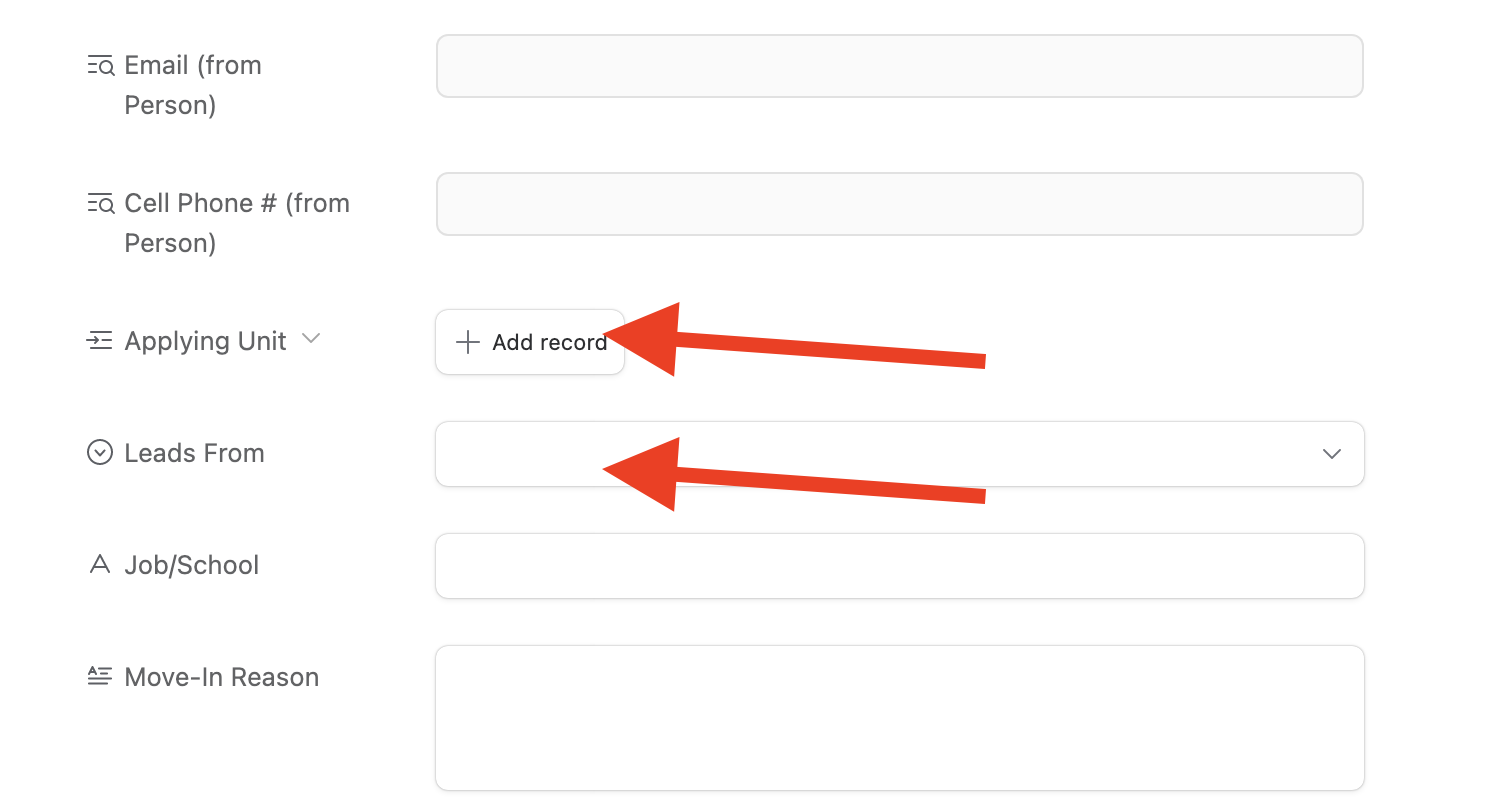
- Back to the tenant window and put in the Applying Unit and Leads From
- Call the person during business hour. Right before calling the person, open the rental applicant table in Airtable.
- Open the pre-screening script
- Communicate with the applicant according to the script
- Update the record while talking, or write it down then update the record afterwards
- Before hanging up, double check if you have the following information:
- Applicant's information
- Showing date setup
- Requirement like
- credit score
- income
- non-refundable application fee
- Once hung up, update the airtable record
- Change the status from "unscreened" to "Showing Scheduled"
- Send house showing confirmation on calendly
- Create a task to show the property at a specific time
Showing